Support Windows

  • Subscribe to our RSS feed.
  • Twitter
  • StumbleUpon
  • Reddit
  • Facebook
  • Digg

Monday, 25 November 2013

7 Blogging Mistakes that Can Stop Your Blog Growth

Posted on 19:33 by Unknown
If You Had Never Made a Mistake then You Have Never Tried Something New.Simply Making a Mistake is Not a Sin But Correcting Foolishness.There are 1000's of Blogger Raising Out Daily But Only Few Of them Were Successful.The Reason Why is They Don't Try to Correct their Mistakes.

Do You Make these 7 Blogging Mistakes?

If You are a Newbie Then You Might Have Done this Common Mistakes That Might Prove Your Blog Wong.

#1 Inconsistency in Blog Posting

Yes being consistence is very important when it comes to blogging.Inconsistency in blogging kills your blog. It makes your readers to lose trust on your blog. Also, it may affect your rankings.
If you have more time for blogging and have lot of confidence that you can write daily, then go for it.
But If you can`t spend time writing daily. Write 2 or 3 posts (at least 1) weekly and make sure this goes consistently.Try to Schedule Your Posts To a Specific Time Whenever You're Not Available. Or Out of Reach.

#2 Underestimating SEO

SEO TACTICS
SEO plays vital role for blogging success, under estimating it is a big mistake which most of them doing.
Does this mean that worthy content is of no use? No, if SEO increase your blog visibility, then content attracts visitors to your blog
    • Add keywords to your post title
    • Spend some time on keyword analysis
    • Improve your blog speed
    • Optimize Your images before adding it on your blog
    • Maintain keyword density
    • Link to related posts i.e internal linking
    • Build links Via guest blogging, blog commenting...
  • #3 Writing for Bots

    I mentioned that SEO is important soon I added this point to make clearer, that we need to write to attract users to only bots.
    I recommended few SEO tips before which helps your blog get more visibility but the last and important game is played by content.
    What if I write worthy content in single paragraph?
    Will not attract any user, internet users don`t have much time to read your paragraph writing. You need to write a readable post with bullets and highlight important points.
    I`d like to mention about Internal linking here! This will help you to decrease bounce rate of your blog and give more information to user.

    #4 No interaction With Fellow Bloggers

    Interaction helps to improve your blog performance.Being active in your niche network can bring you more opportunities.
    You can Join blogging networks like Bloggers.com, Blog Engage.com etc… and connect with fellow bloggers.

    #5 Ignoring Visitors

    Engage with your visitors this will help you to know what your users need.
    Blog comments are the place where most of visitors interact with blog owner, so take time to respond to their queries. Be first to help them if they have any problem.
    When someone approaches you through email then try to add him and give quickly reply.
    If anything went wrong don`t step back to apologies.
    Another way to interact with users is Email marketing, send regular newsletter to your subscribed users, and suggest them few blogging tips. Give some special gifts to your subscribed users.

    #6 Spending too Much Time on Blog Stats

    Don`t expect too much from just born blog.
    Your blog is new and it takes more time to get good results. So don`t spend time daily on analytics. Once a while is OK, but wasting time on it will not return you anything.

    #7 Being Everywhere

    Is being everywhere over the web recommended?
    No am not against going social but if you`re wasting time being on all social networking sites by checking status, sharing and not spending time on your blog. Then I don`t recommend being everywhere.
    Select few top social networking sites in which you can get targeted visitors. Like if you are targeting Brazil then your must not ignore Orkut! So depending upon your niche try different but less social networking sites.
    It’s Your Turn Now!
    These are few common blogging mistakes which I thought are important, Do you have more such tips? Please share here in comments. 

Read More
Posted in SEO, Tips | No comments

Saturday, 29 September 2012

Twitter bans GIF avatars

Posted on 02:47 by Unknown

Twitter has been a busy little bird making many decisions that disables the choices of its users. Not only have they limited us to using their image service and denied developers, now they are banning GIFS being used as your profile picture.

Therefore if you see your Avatar not showing (could happen) or if you tried uploading an avatar that is a GIF (movable image) you now know exactly why. Here is a screenshot via Mashable.
Twitter bans GIF avatars

Read More
Posted in technology, Twitter | No comments

Saturday, 22 September 2012

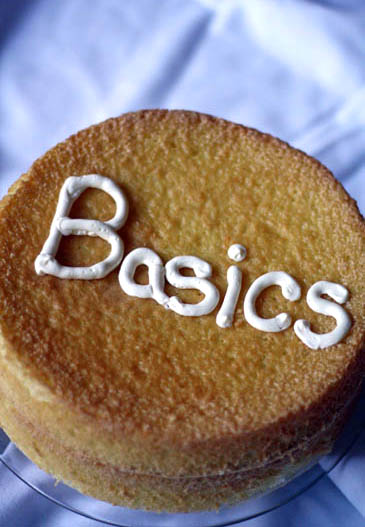
The Basics of Blogging and How to Get Them

Posted on 01:13 by Unknown
Most of the Bloggers Know What are the Basics of the Blogging. So What According to You the Basics Of Blogging ? so What are the Things that You Should Get Right To Become a Creative and Successful Blogger.Well if I Ask These type of Questions then i'll Get Different Type of responses.Some Will Say that Monetizing Blog and Some Will Say SEO.


The Basics of Blogging and How to Get Them

The Thing is We Are habituated to Different Things That we are Forgetting the Real and Useful Basics of Blogging. So According to Me the Basics of Blogging :.

#What are Basics of Blogging:.

According to Me these are Some Basics of Blogging


  • Reading
  • Writing
  • Promoting 
  • If You Get these Common Things or "the Basics" Then You'll Get Everything Else.Automatically Your Traffic Will Increase and You Can Thereby Monetize Your Blog.

    #How to Get these Basics

    As i Said Above if You Get those Basics then You'll Get Everything Else.So Follow the Below Steps to Get to Know the Basics...

     #1 Reading

    As We Do a Bit of Reading Daily.Before Writing the Content. Read Many Articles Related to It. Do a Bit of Research before Writing An Article.Why because it gives an idea about writing and you'll get Some Experience and you can learn a lot.
    The Basics of Blogging and How to Get Them

    By Reading Other Blogs Under Your Niche Can Get you a Lot of ideas because they contain a lot of Innovative Ideas.

    Reading Books Will Help You in Writing the Articles Because Most of the Bloggers Doesn't Post Their Articles in a Systematic Manner. They Don't Have a Specific Structure. By this Reader  Won't get a Reading Atmosphere Under Your Blog. So By Reading Books You'll Get an Idea On How to Write Articles.

    Research: This is the Most Important Thing One Blogger Must Do, Whatever he May be The Pro Blogger or The Newbie. But Research is Important Task.So go And Surf About the Topics Under Niche Before Writing An Article.


    #2 Writing

    If You Follow the Steps Mentioned Above Then Writing is not a Hard Thing to do. Just Follow the Below Steps And You Can Write Easily.
    The Basics of Blogging and How to Get Them

    Write Well in Your Articles if You Don't Know How to Write Then First Go and Surf Online Blogs Where Many Quality Articles Were Written. Carefully Observe How They Are Framing their Posts and Apply them On Your Articles. Write write and Write Until You Succeed. because it Gives you Experience And Good Writing Skills.

    Dont Miss it - 5 Killer Tips to Improve Your Writing Skills

    First Before Writing An Article If You Don't Get Any ideas on Article Then Take a Break and Open a Blank Document.. Then Think About it for 5-10 Minutes And Whatever You Think About it. Just Present them in the Blank Document. Attract Your visitors With Good Writing Techiques

    Make Your Blog Unique By Writing Uniquely 
    Don't Stop in Between After Completing the Document Just Go through it and You'll Find many ideas in it. Just keep in Mind the Ideas. So That It May BE helpful for Your Next Post.

    Set a Schedule For Writing : Try to Write On Anything On Your Pc TO Practice Writing Well. Train Yourself In Such a Way that You Keep Writing As Well as You Can. Make a Correct Schedule For it And Balance Everything.

    Proof Read Your Blog Posts Before Publishing Them. Check Your Posts Well Like a Reader But Not Like a Writer. It Makes You perfect. f You'gone Wrong Somewhere Then You can Fix it Easily.

    Do whatever You Want: Do Whatever You Want. Doesn't Care About What Others Say. Just Write And Write On Your Own.

    #3 Promoting

    Well Promoting is One of the Biggest Things And Sometimes it is the Hardest One too. But it is Not Too Hard. Nothing is Impossible. Most of the Bloggers Fail When Comes to The Publishing and Promotion.If You Proper Promotion then Obviously Traffic Increases.
    The Basics of Blogging and How to Get Them

    Always Promote Your Blog in Such a Way that Your Blog Will Get More People Reading Your Blog Through Social Signals.

    Guest Post: Guest Posting is One of the Best Tactic For Gaining Huge Traffic. Guest Posts Can Help You in Getting Constant Traffic and Search Engine Optimization As Well.Also Know About the Guest Posting Do's And Don'ts 

    Optimize Your Blog Posts For Search Engines Well. Because Search Engines Are the Source For the Largest Sources For Traffic.You Can Get a Good Amount of traffic if You Optimize Your Posts and Images For Them.

    The Basics of Blogging and How to Get Them
    Leave Comments: Leave The Comments on Other Blogs. Wherever You Got Don't Just Come Back. Learn Something From them And Leave Comments on their Blogs. By Doing so You'll Get Some More Visits and Also Some Backlinks too. Always Comment on Dofollow and CommentLuv Blogs to Get Some Backlinks. Dofollow, Commentluv Backlinks Matter a Lot.

    Online Circle : Make a Proper Online Circle. Connect With Your Readers,Friends and Other Blogs Online. It will Increase Your Online Reputation and Makes a Correct Image For You and Your Blog. Share Your Blog Posts On Social media And Networking Sites As Much as Possible.Start Asking Users For Feedback.

    So That's it For Now. If You Follow these Steps Carefully Then Soon You Will Become a Pro Blogger.
    Read More
    Posted in blogger Tricks, SEO, Tips | No comments

    Thursday, 20 September 2012

    Why To Use Long Tail Keywords For SEO

    Posted on 22:58 by Unknown
    These Long Tail Keywords Are Not the New Term But Most of the Bloggers And Newbies Don't Know About Long Tail Keywords And How to Use Them.If You're Among Such Blogger s then This Post is Dedicated For You.So Before Talking About the Benefits of the Long tail Keywords i'd Like to Tell you What Exactly They Mean.
    Why To Use Long Tail Keywords For SEO


    #What Are Long Tail Keywords

    As You Know About the Normal Keywords. These Long Tail Keywords Are Not So Much Differentiated to Them. The Keywords Are of Two Types the Short Tailed and the Long Tailed. So Let Me Explain You in Detail.


    The Best Words Compared to Them are the Short Phrases and the Long Phrases.The Short Phrases are General and Cover a Vast Area.Whereas The Long Tail Keywords Cover a Short Area.

    For Instance Let us Take the Short tail Keyword "Sports Car" Well if you Search For Sports Car in Google Or Anyother Search Engine Then You Will Come Accross Many Search Results. This is the Best Example for Short Tailed Keywords.

    Now Coming to the Long Tailed Keywords : Let us Take the Same Example But We Can go More Specific with it "BMW Sports Car" And if we go More Specific ie "Latest BMW Sports Car" Which Will Cover Only the Latest BMW Sports cars.

    Well Did You Notice the Difference Between the Both ? The Both Keywords "Sports car" and "Latest BMW Sports Car" Both Are Relevant to Each Other. The Only Thing is We Go More Specific in the Long tail Keywords.

    # Benefits of Using Long Tail Keywords

    Well it is Very Useful For the Bloggers To gain More SEO. Well Most of them Still Don't Know What it Meant? Even I Was Unaware of that till i Read Many Articles Over Web. So here i list out Some Benefits of Using it.

    The Best Example to Show You is Searching For Both Short&Long Keywords Over Google : Just Have a Look :
    • Sports Car: 1,420,000,000 results
    • BMW Sports Car : 61,900,000 results
    • Latest BMW Sports Car : 61,400,000 results
    • latest BMW 135i sports car : 1,320,000 results

    #So What Did You Notice ?

    The Thing One Must Notice From the Above Numbers is "The Longer the Keyword the Fewer the Blogs Matching To it" That Means There Are More Chances To Occupy the More Room Under Search Engines.

    So By Seeing the Above Details You Must Not Think that Long Tail Keywords Will Bring You Huge Amount of Traffic. If You Think So,Then You're Wrong.

    Long Tail Keywords Bring You a Targeted Traffic.Only People Searching For that Long Keyword Will Be Landed on That Page But To Land on Your Blog/site You Have to use Numerous Amount of Long tail Keywords.

    One Will Get the Most Suitable Long tail Keywords By Using Google Analytics. From you Google Analytics page you can see that which long tail keywords brought visitors to your blog and how many of them were converted.

    You can do one thing. Try using one shot tail keyword as main keyword and use many relevant long tail keywords as the secondary keywords for the post.

    #Better Conversion Rates

    As i Wrote Above,Only the User Searching for the Particular Keyword Would Land on Your Blog. Thus You Will Get Better Conversion Rates.

    #Easy Optimization

    On Page SEO WIll be Useful for You if You're Using the Long tail Keywords.Long tail keywords make the On Page Optimization easier and the first reason is that you can fit 1-2 long tail keywords  in your post content. Whereas more usage of short tail keywords is considered as keyword stuffing and Google don’t like it.

    #Long Tail Keyword= Many Short Tail Keywords

    One Will Get  if You Are Using the keyword ‘Latest BMW 135i Sports Car’ in your post, that post will be in search engine for short keywords like BMW 135i, 135i Sports Car, sports car and latest BMW sports car, isn't it Beneficial ?

    I Know These Are the Few Tips.But I'm Not Much Aware of these Long Tail Keywords.I am Sure There might be Many More To Add on this Topic. But I am Trying to Gain As Much as i Can.

    If You Know Some More benefits of Using these Long Tail Keywords in your Blog. Then Please Share us Via Comments Below.
    Read More
    Posted in blogger Tricks, SEO, Tips | No comments

    Smooth Sliding Image Caption With CSS3

    Posted on 19:46 by Unknown
    Check Out this Pretty Cool Sliding Caption For Images  It’s a caption that slides out at the bottom of the image only when the user moves his mouse cursor over anywhere near a small question mark located at the bottom of the image.


    So far, the effect works without a problem with the latest version of Chrome, FireFox, and Opera but not with Internet Explorer.  It hasn’t been tested on Safari yet.
    So how do you install it to your blog? 

    Following are the simple steps to add the Styling :.

    1. Go to Template >> Edit Html << Proceed, then check Expand Widget Templates.
    2. Now Search for the ]]></b:skin> Tag in Your Template
    3. Now Copy the Below Code and Paste it Above/Before ]]></b:skin> Tag.
    .capblock { display: block; position: relative; overflow: hidden; margin: 0 20px 20px 0;}.capblock a { color: #fff; text-decoration: none;}.capblock a:hover { color: #ccc; text-decoration: none;}.tbicap { position: absolute; color: #fff; text-decoration: none; background: #000; background: rgba(0,0,0,0.75); padding: 10px 10px; bottom: 5px; left: -10%; max-width: 400px; overflow: hidden; opacity: 0; -webkit-transition: all 0.6s ease; -moz-transition: all 0.6s ease; -ms-transition: all 0.6s ease; -o-transition: all 0.6s ease; -webkit-border-radius: 0px 5px 0px 0px; border-radius: 0px 5px 0px 0px;}.tbicap:hover { left: 0; opacity: 1;}.capblock:before { content: "?"; position: absolute; font-weight: 800; background: #000; background: rgba(255,255,255,0.75); text-shadow: 0 0 5px #fff; color: #000; width: 24px; height: 24px; bottom: 10px; left: 10px; -webkit-border-radius: 12px; -moz-border-radius: 12px; border-radius: 12px; text-align: center; font-size: 14px; line-height: 24px; -moz-transition: all 0.6s ease; opacity: 0.75;}.capblock:hover:before { opacity: 0;} 
    Now Save the Template and You're Done.
    Note:- If the Caption is not Displaying Correctly then try to Adjust the Max-width :400px

    HOW TO Use This For Images :.

    If the Caption To Use the New Sliding Caption On an Image in Your Post,Just Make Sure that You're in HTML Mode as You Enclose Your Image Inside Tags With the Proper Attributes. As Shown Below
    1. <div>
      <a href="IMAGE LINK HERE" target="_blank"><img alt="" src="IMAGE URL HERE"/></a>
      <div>
      <span><a href="POST LINK HERE">CAPTION HERE</a></span></div>
      </div>

    Now Remember to replace all the necessary values with that of your own. Also, you can remove the <a href=”POST LINK HERE“> and </a> if you just want the caption without the link to render it unclickable.
    Hope you guys enjoy this featured Blogger trick of the day.

    Via AllBlog Tools

    Read More
    Posted in blogger Tricks, Widgets | No comments

    Wednesday, 19 September 2012

    Modern Warfare 3 Collection 4 launch trailer for PC

    Posted on 21:00 by Unknown

    Check out the launch trailer for collection 4 which is set to release on October 10 for the PC.
    Stay alive in Decommission, as you traverse through a graveyard of ocean liners.


    Take the fight out on the ocean in Off Shore, maneuvering precariously between three oil rigs. 

    Take over an abandoned mining town as you do battle in the red rock terrain of Gulch. Have a little fun at your enemy’s expense in the beach wonderland of Boardwalk. 

    Spice things up in Parish, as you fight through a militarized section of the famed French Quarter.
    Tell us what you think in the comments section below.


    Read More
    Posted in Entertainment | No comments

    5 Tips To Help You Become A Creative Blogger

    Posted on 20:15 by Unknown
    Blogging Is a Methodology of Sharing Our Knowledge With Others. Not Only Sharing Our Knowledge.it Also Helps Us To Gain Online Reputance. Also we Can Make Money And Much More Beneficial With Blogging.
    5 Tips To Help You Become A Creative Blogger

    But as a New Blogger Most of the People doesn't Know What to Write and When to Publish Them and How to Write the Articles So that It May Drag the Attention of the Visitors.Here i Listed Out a Few Points. That May Help You Become a Creative Blogger.


    #1 Be a Full Time Blogger

    I Don't Mean You to Become a Professional Blogger and Leave Everything Personal And Stay Attached Towards Your PC.I Mean That Use Your Mind to Get New Ideas And Tactics that May Help You in Blogging. For Instance Instead of PLaying Games And Such Things... Blah Blah Blah... Dont Let Your Mind to Care Any Useless things. Always think in such a Way that You May Wanna Get Something Out of it.

    For Instance If You are Hanging Out With Your Friends. Well it is Not Bad. Sometimes Something Comes Between us and It May Give us an Idea for Our Next Post.


    #2 Think Like a Reader


    This is the Most Important Thing to Become a Creative Blogger and a Writer too.If You Just Keep Writing Articles Which Doesn't Make the Interest to Your readers. Then it is Waste of time. Then take a Break and Think About Your New Article Doesn't Matter Even if it Take Some Time. 

    Always Get to Know What the Readers are Interested in Your Blog. I mean Which type of Content They Like and Which Type of Posts They Visit the Most. And Keep Posting On Such Type of Content. Because for a Successful Blogger Meeting the Requirements of the User is a Must.
    Always Ask YourSelf ? What Kind of Post Do You Want to Get Read From Your Blog ? Proofread Your Blog Posts Reqularly Before Publishing Them.Simply Saying Think like a Reader But Not Like a Writer


    #3 Use Imagination


    Writing the Content Which Is Already Known To Users Might Be Boring.So Everyone Must Have Some Unique Experience On it. You Must Write Articles in Such a Way that The Boring Posts Also Would Become Interesting Articles. Because Users Will Love the Creativity of the Author.

    You May Come Across the Phrase "Imagination is More Important than Knowledge" .Before Writing Any Content.Imagine About it.


    #4 Be To The Point

    Have You Ever Seen the Articles And Videos From other Blogs And Popular Sites That Claim to Give You Some Valuable Tips to Gain More Traffic to Your Blog or Increase your Earnings?? Then You Might Know that they Are Just Not Valuable and Never to the Point.You Must Try to Have Top Article Writing Topics

    So if You Write any Content  And Your Readers Are Not Getting What they Expect From the Post even After Reading the Early Paragraph's of the Post. Then They Too think that the Post Has Nothing Value.  So Your Early Points Or Para's Should Be Exactly to the Point.It Must Give the Idea of what the Post is About.


    #5 Balancing Everything


    Well Finally It's a time to Balance Everything Especially the Above Points.Because it is the Most Important Part of a Creative Blogger.By Following them You Can Establish Yourself as a Creative Blogger . Reflect Your Ability in your posts.Your Writing Skills, Online reputance, Socializing Power,Blog Marketing...Should Reflect Your Ideas and Skills. So that Everyone Try to Believe in You As a Creative Blogger.


    Read More
    Posted in blogger Tricks, SEO, Tips | No comments
    Older Posts Home
    Subscribe to: Comments (Atom)

    Popular Posts

    • Facebook is reportedly set to expand its organ donor initiative to Asia
      Facebook’s organ donor initiative looks set to come to its first market in Asia tomorrow, that’s according to  Korean news agency Yonhap  wh...
    • 7 Blogging Mistakes that Can Stop Your Blog Growth
      If You Had Never Made a Mistake then You Have Never Tried Something New.Simply Making a Mistake is Not a Sin But Correcting Foolishness.Ther...
    • 20 Tricks to Make Facebook Better
      Facebook is By Far the Biggest Social Networking Site on Web.These Cool Tricks and Tips Help you to Enhance Your Facebook Experience. Tweak ...
    • 2012 T20 World Cup: Meet the teams
      12 teams, 1 trophy. Take a look at the profiles of the countries participating in the fourth T20 World Cup. India:  The Indian squad has eig...
    • YouTube rolls out new version of iPhone app
      Google Inc is releasing a new version of its YouTube video app for iPhones that will for the first time feature advertising but won't ha...
    • Cricket Pics of This Week
      Here are Some Top Cricket Pics of this Week.  A general view during the Final of the Club Twenty20 Finals Day match between Northern Cricket...
    • Navigation, live traffic updates come to Google Maps in India
      Google today announced the availability of two new features for Google Maps in India - turn-by-turn voice-guided driving directions through ...
    • Microsoft Asks Users to Suggest New Windows Phone 7.8 Features
      With the solicitation of suggestions from Windows Phone handset owners, Microsoft may be about to adapt its Windows Phone 7.8 software and s...
    • Top 10 Tips for Getting Real time Pinterest Followers
      Pinterest is Now One of the Top Most Social Networking And Image Clipping Sites. The success of  Pinterest  can be widely related to the sim...
    • (no title)

    Categories

    • Android
    • blogger Tricks
    • Entertainment
    • facebook
    • Google
    • Infographics
    • Latest
    • Mobile
    • NEWS
    • Pics
    • pinterest
    • Review
    • SEO
    • Social Network
    • technology
    • Test
    • Tips
    • Tricks
    • Twitter
    • Widgets
    • youtube

    Blog Archive

    • ▼  2013 (1)
      • ▼  November (1)
        • 7 Blogging Mistakes that Can Stop Your Blog Growth
    • ►  2012 (89)
      • ►  September (75)
      • ►  July (10)
      • ►  June (4)
    Powered by Blogger.

    About Me

    Unknown
    View my complete profile